Install for your vehicle
Select your car. Then do the steps under that heading. If you're not sure, use the wizard below.
Which screen looks like your car's?
Look at the screen on the dashboard and pick the closest one.
You can watch the Tiggo 7 and Tiggo 8 install video here.
After the engineering menu opens, open USB2.0 AUTH / USB2.0认证. The button name on that screen is DEVICE EYE PATTERN / Device眼图.
| Vehicle | Heading |
|---|---|
| Tiggo 7 2025. The screen can look like an Omoda 5. | Tiggo 7 2025 |
| Tiggo 8 2025 | Tiggo 8 2025 |
| Tiggo 8 2026 | Tiggo 8 2026 |
| Jaecoo | Jaecoo |
Tiggo 7 2025
Use this heading for a Tiggo 7 2025. The car screen can look like an Omoda 5. Use this heading for an Omoda 5 too.
The way to open the menu is the known way. The only difference is on the USB 2.0 screen.
On the pictures, the glowing gold dot shows where you touch. The yellow dot is an extra mark.
-
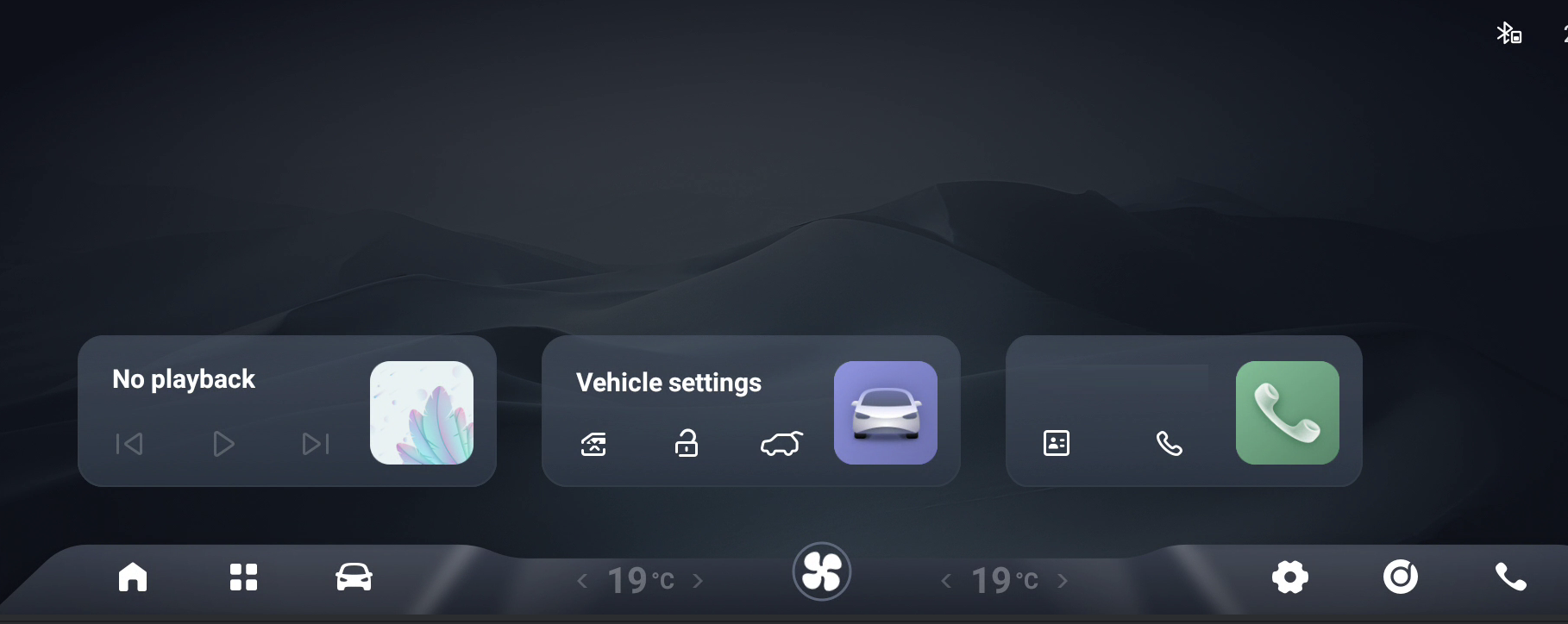
Touch the blinking dot on the car screen. The car settings open.
-
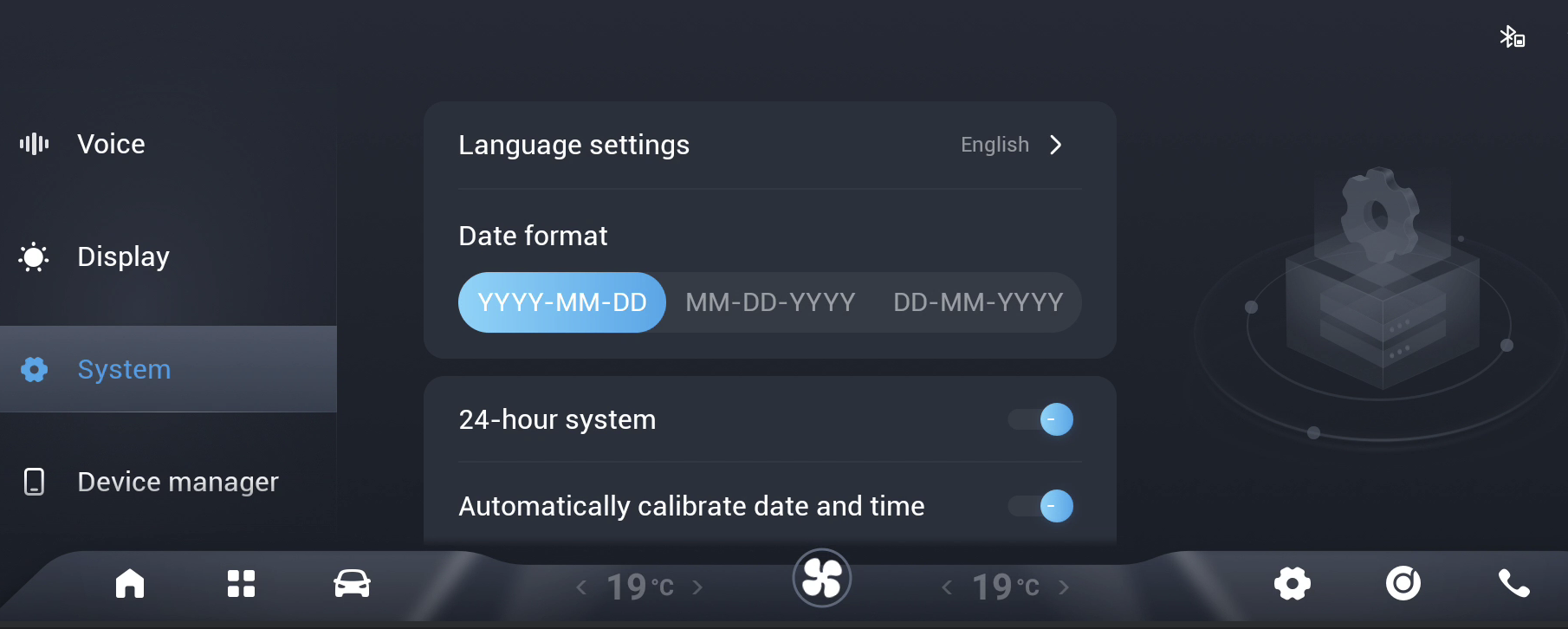
Find the blue dot in System. Touch it 10 times quickly.
-
Touch
USB2.0 AUTH/USB2.0认证.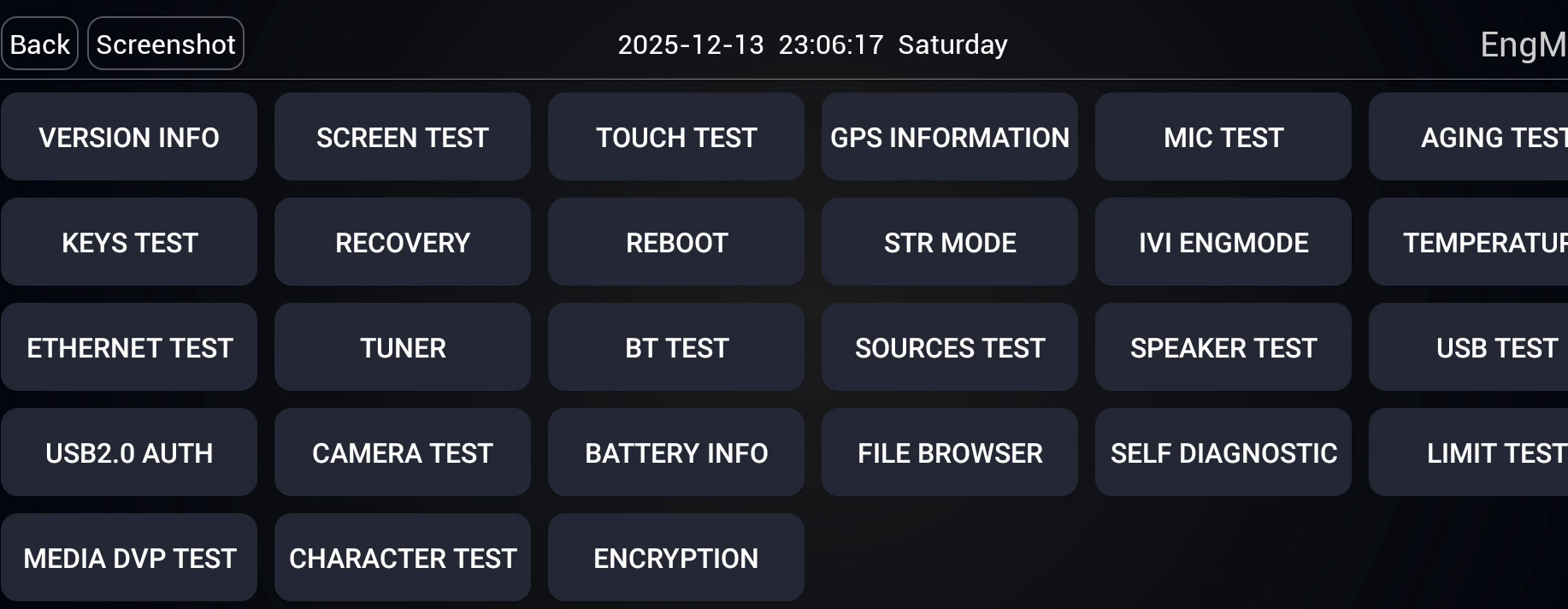
-
Look at the USB 2.0 screen. Find the
DEVICE EYE PATTERN/Device眼图button.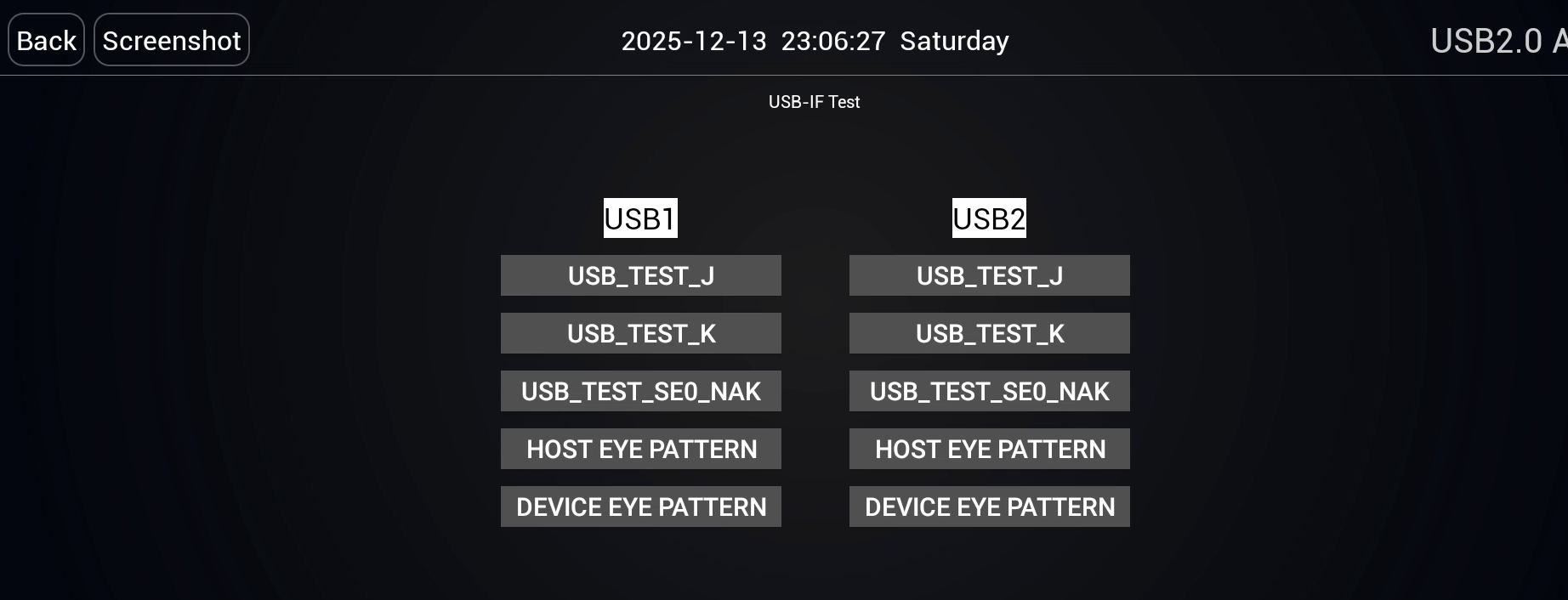
Is DEVICE EYE PATTERN / Device眼图 there?
-
If the button is there: touch it. The screen looks like the picture below. You do not need
adbauth.key. Continue with the 02.00.00 install. In the web installer, the install type is "02.00.00".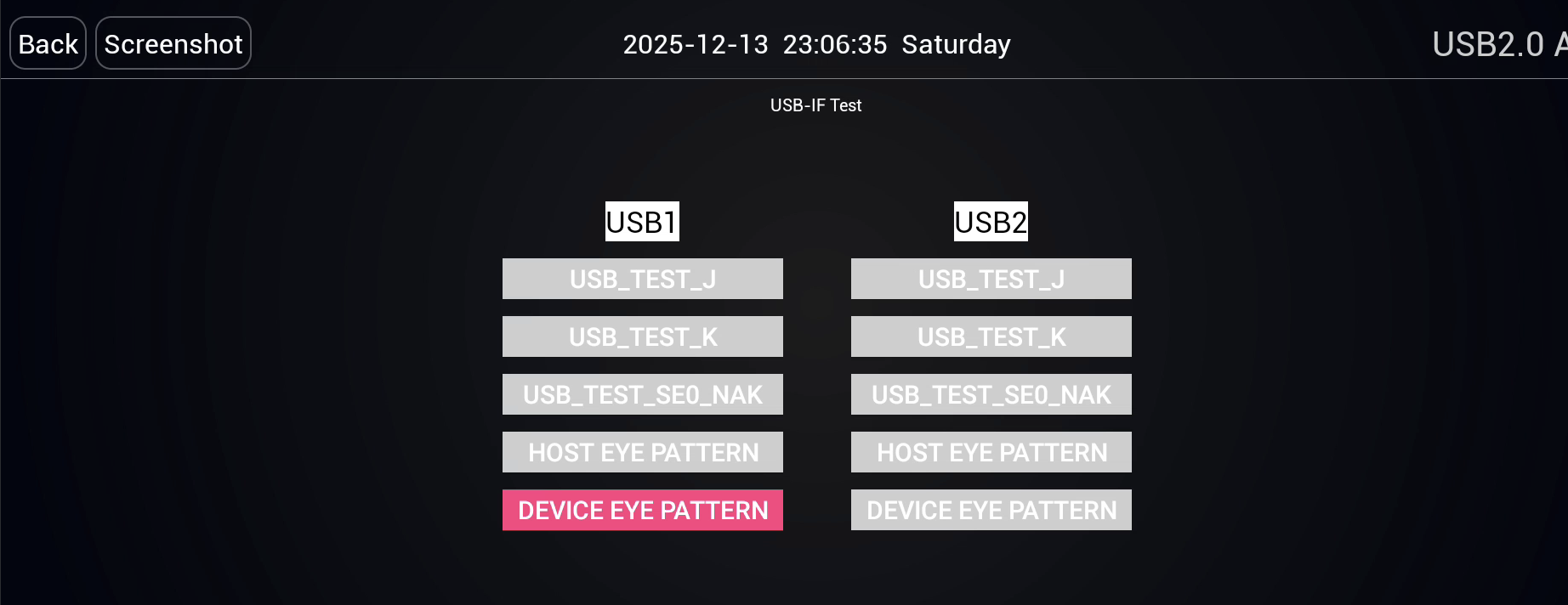
-
If the button is not there: you need
adbauth.key. On the ADB Lock page, openVERSION INFO/版本信息. CopyproductID / 产品序列号. Install after you downloadadbauth.keyfrom the site.
Tiggo 8 2025
A Tiggo 8 2025 uses the same path as a Tiggo 7 2025.
- Open the engineering menu with the Tiggo 7 2025 steps.
- Open the
USB2.0 AUTH/USB2.0认证screen. - If the
DEVICE EYE PATTERN/Device眼图button is there, touch it. You do not needadbauth.key. Continue with the 02.00.00 install. - If the button is not there, you need
adbauth.key. On the ADB Lock page, openVERSION INFO/版本信息. CopyproductID / 产品序列号. Install after you downloadadbauth.keyfrom the site.
Tiggo 8 2026
A Tiggo 8 2026 opens the menu from another place.
- Press Settings on the screen.
- In the menu, go to System.
- Touch the top title "About" (Hakkında) quickly. Touch it until the hidden menu opens.
- Touch
USB2.0 AUTH/USB2.0认证in the menu. - If the
DEVICE EYE PATTERN/Device眼图button is there, touch it. You can install withoutadbauth.key. Continue with the 02.00.00 install. In the web installer, the install type is "02.00.00". - If the button is not there, you need
adbauth.key. On the ADB Lock page, openVERSION INFO/版本信息. CopyproductID / 产品序列号. Install after you downloadadbauth.keyfrom the site.
Jaecoo
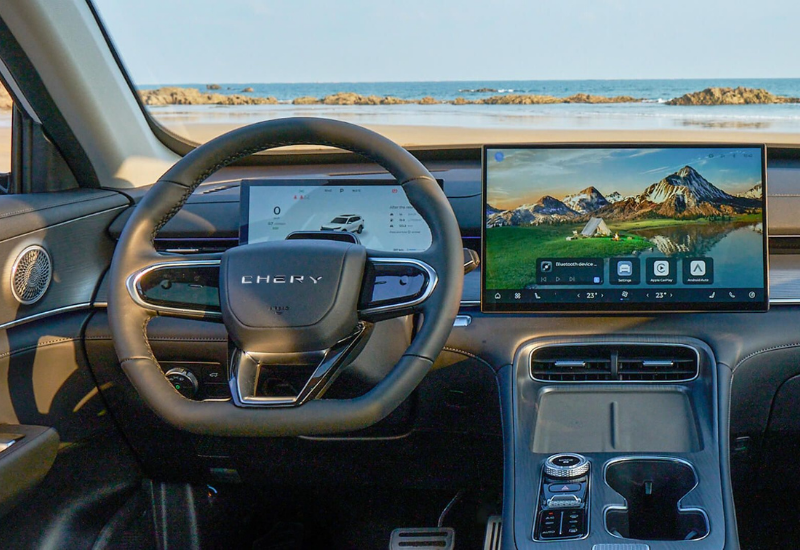
The photos in this guide do not show the Jaecoo model or the year. A cabin photo shows Chery on the steering wheel. Do not choose a model year from these photos. On a Jaecoo screen, use the steps below.
- Open Settings.
- Find the line "DMC yazılımı sürüm numarası". The value can look like
02.00.00. - Touch the label above this line quickly. The hidden menu opens.
- Touch
USB认证. A Jaecoo screen does not showUSB2.0认证. - If the
DEVICE EYE PATTERN/Device眼图button is not there, you needadbauth.key. On the ADB Lock page, openVERSION INFO/版本信息. CopyproductID / 产品序列号. Install after you downloadadbauth.keyfrom the site. - If the button is there, touch it. You do not need
adbauth.key. Continue with the 02.00.00 install.
Cabin photos
Tiggo 7 and Tiggo 8 2025 cabin
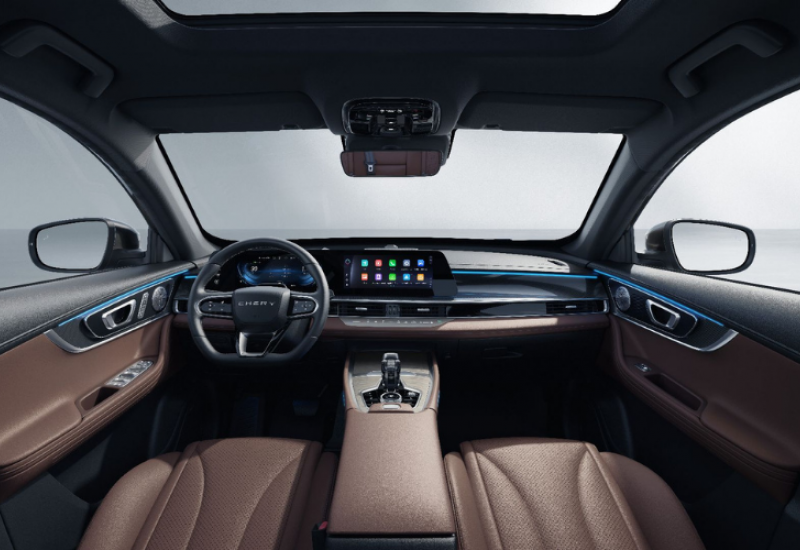
Tiggo 7 2025 steps · Tiggo 8 2025 steps
Tiggo 8 2026 cabin